
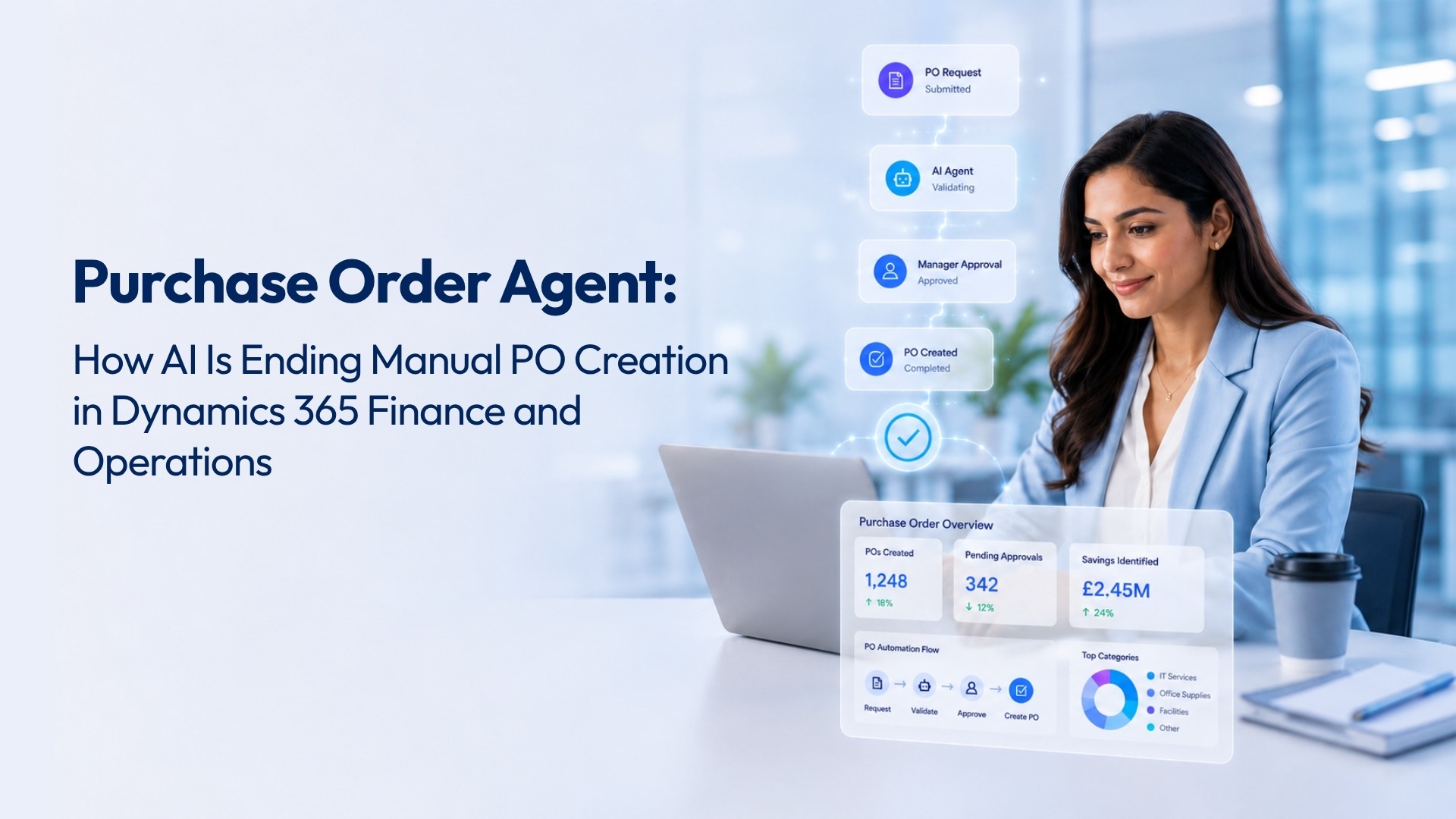
Purchase order automation in Dynamics 365 Finance and Operations has moved from a long-term ambition to a practical, deployable reality. Organisations are now using AI agents to convert Teams messages, supplier emails, and vendor PDFs into validated draft purchase orders, without manual re-entry, without waiting for someone to process a request, and without changing a single line of ERP configuration.
The question for most procurement and finance leaders is not whether this is possible. It is whether what they have seen in product demonstrations actually reflects how the technology performs in a live Dynamics 365 environment, with real vendor master data, real approval hierarchies, and real procurement governance in place.
This article sets out what purchase order automation in Dynamics 365 actually looks like, which specific Microsoft technologies make it work, and what changes operationally when the agent handles intake rather than a member of the procurement team.
Most procurement teams working within Dynamics 365 Finance and Operations are managing a process that begins outside the ERP. A supplier sends a quote by email. A department head messages the procurement team on Teams. A vendor portal generates a PDF. Each of these triggers a manual step: someone reads the document, extracts the relevant information, checks vendor codes and item details against D365 master data, and creates a draft purchase order before the approval cycle can begin.
In isolation, this seems manageable. Across a procurement function handling hundreds of purchase orders per month, the cumulative cost becomes significant. Time spent on data entry is time not spent on supplier relationship management, spend analysis, or contract negotiation. Additionally, manual extraction from unstructured documents carries a consistent risk of transcription error, and a single mismatch between a submitted quantity and an ERP item code can send a purchase order back through the approval cycle.
The operational consequence of that delay is rarely trivial. Missed delivery dates, supplier relationship strain, and approval bottlenecks that affect downstream operations are all traceable to the same root cause: the manual intake step that sits between a purchase request and a D365 draft PO.
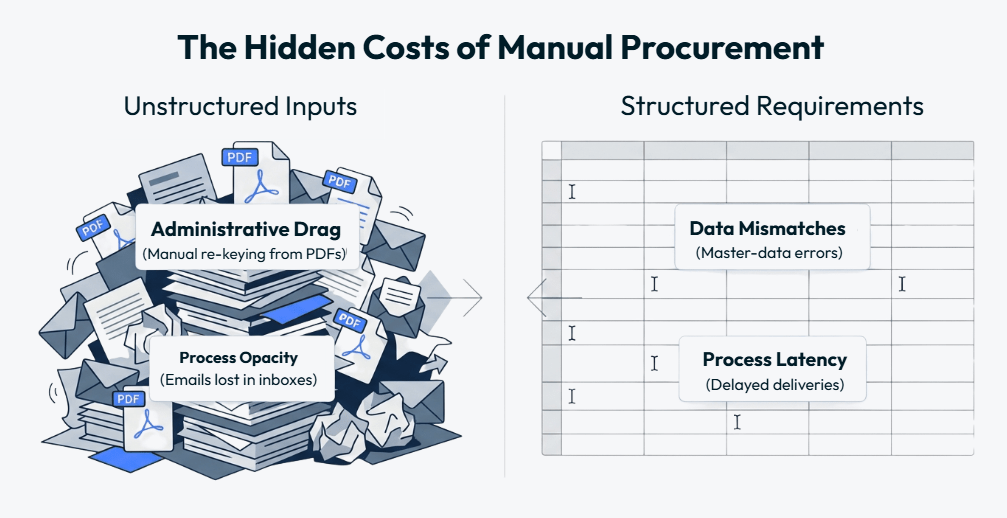
The manual intake step between a purchase request and a D365 draft PO is where delay, error, and audit gaps begin. Purchase order automation removes it entirely.
Purchase order automation in Dynamics 365 Finance and Operations, when built on the right Microsoft technology stack, removes the manual intake step and replaces it with an AI-driven process that validates data against your live ERP before creating anything.
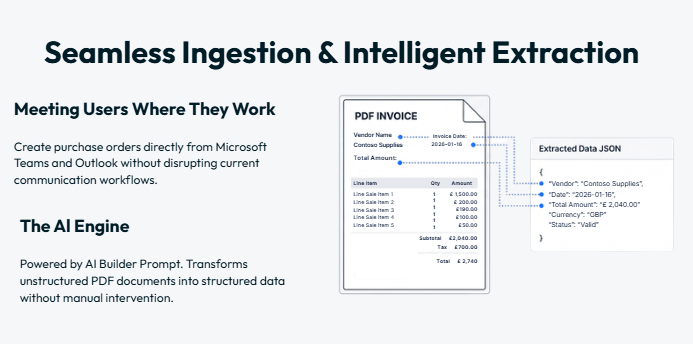
The Purchase Order Agent we have published on the Microsoft Marketplace operates as follows. A user submits a purchase request through Microsoft Teams, Outlook, a vendor PDF, an Excel file, or an EDI feed. The agent reads the submission in full, regardless of format or structure. AI Builder then extracts the key data points: vendor identity, item codes, quantities, pricing, units of measure, and requested delivery dates.
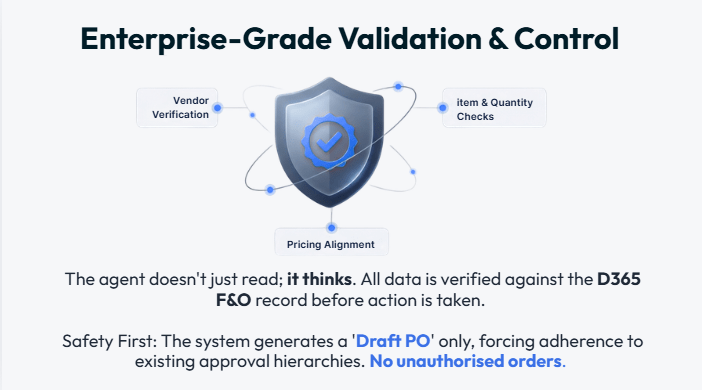
At this point, the agent does not create a purchase order. It first validates every extracted field against Dynamics 365 master data. Vendor approval status, item validity, pricing alignment against contracted terms, and budget availability are all checked before a draft is produced. Only when validation passes does the agent generate a draft purchase order in D365, ready for the existing approval hierarchy.
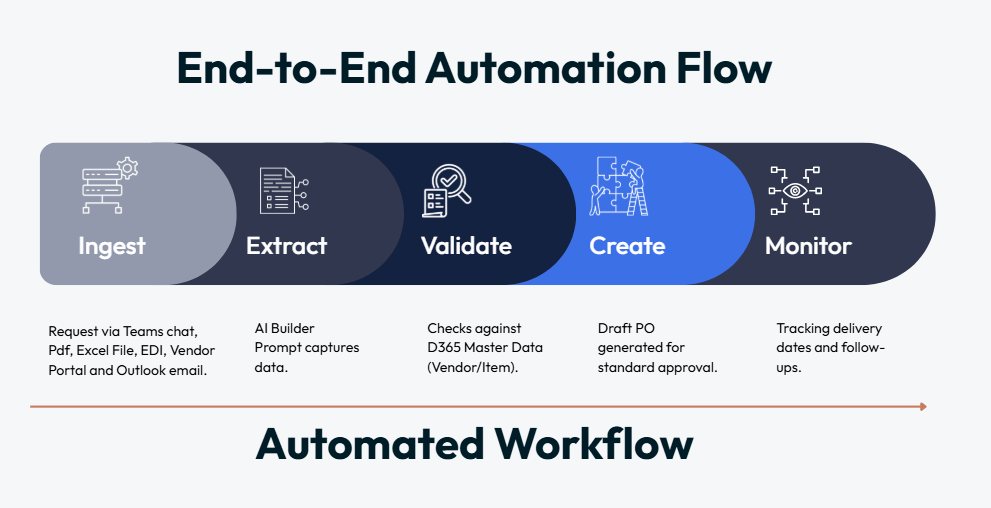
The distinction between an agent that creates a PO and then flags errors, and one that validates before creation, is significant in practice. In the first approach, incorrect purchase orders still enter the approval workflow, requiring manual rejection and correction. In the second, errors are caught at the point of intake, before any approval cycle begins.
For procurement teams managing high volumes, that difference determines whether automation reduces workload or moves the error-handling step earlier in the process without eliminating it.
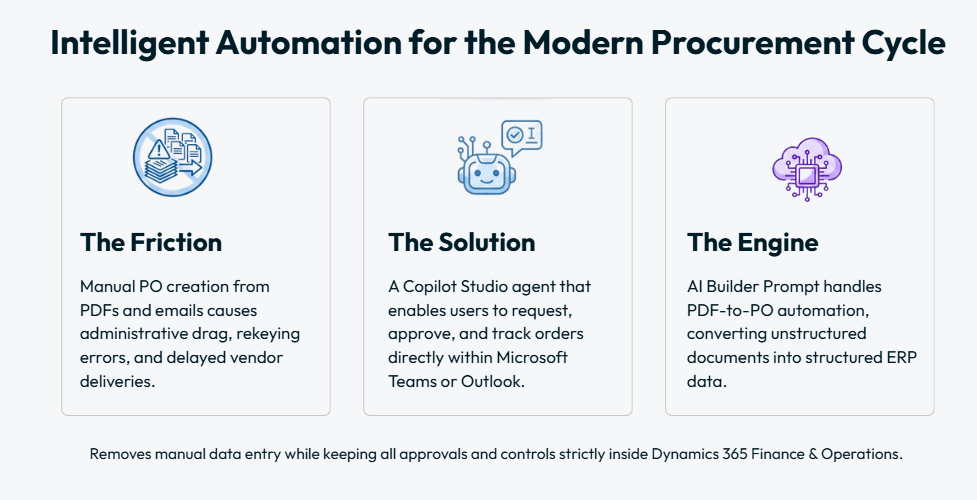
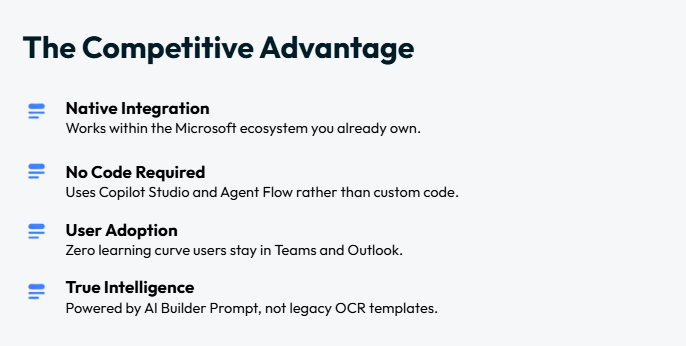
The Purchase Order Agent is built on four Microsoft technologies that most Dynamics 365 Finance and Operations customers already have within their licensing: Copilot Studio, AI Builder, Power Automate, and Dataverse. Understanding what each one contributes helps explain why the agent can handle unstructured documents without requiring custom OCR templates or bespoke integrations.
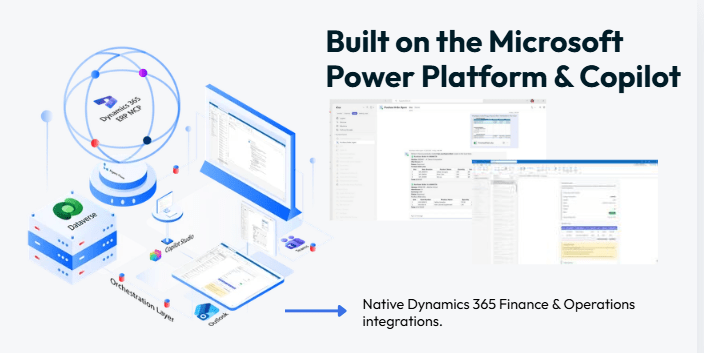
Copilot Studio provides the conversational layer. It monitors Teams channels and Outlook inboxes configured at deployment, receives incoming purchase requests, and orchestrates the workflow that follows. Users interact with it exactly as they would with any Teams message, by sending a text, uploading an attachment, or forwarding an email. There is no new interface to learn and no change to how teams currently communicate.
AI Builder handles document intelligence. When a vendor PDF or scanned invoice arrives, AI Builder reads the full content and extracts structured data from unstructured text. This works without predefined OCR templates, which means the agent can process documents from different vendors in different formats without requiring reconfiguration for each supplier.
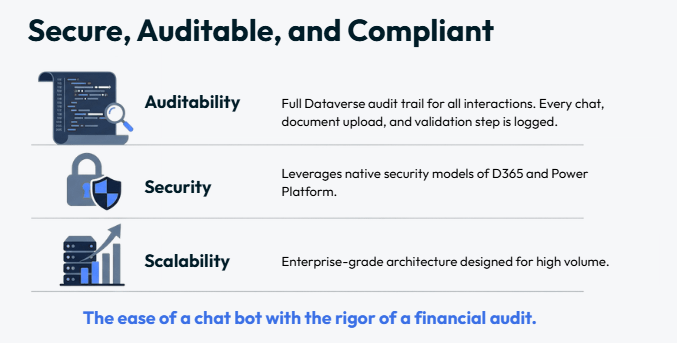
Power Automate manages the validation and creation workflow, checking extracted data against D365 master data and generating the draft purchase order when all fields pass. Dataverse logs every step of the process: the original request, each validation outcome, the draft PO created, and every subsequent approval action. That log forms a complete audit trail, accessible for finance reviews, procurement governance checks, and supplier dispute resolution.
The most immediate operational change is where the procurement team’s attention goes. When purchase order automation in Dynamics 365 handles the intake and validation step, the team shifts from reactive data entry to reviewing and approving draft POs that have already been validated. Vendor verification, item checking, and pricing alignment happen before the draft reaches an approver, not as part of the approval review itself.
The second change is in SLA management. The agent tracks expected delivery dates for every purchase order it creates and sends automated reminders to vendors when deadlines approach. Escalation alerts trigger when SLA thresholds are breached. In practice, this means procurement managers are notified of at-risk deliveries before they become missed deliveries, rather than discovering the issue after the fact.
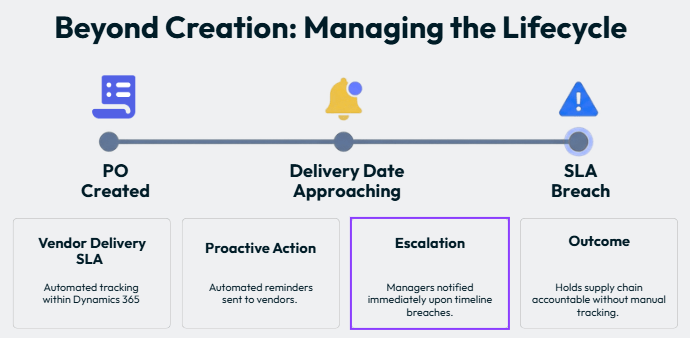
The third change is in audit readiness. Because Dataverse logs every action the agent takes, from the original request through to the approved PO and subsequent delivery tracking, the audit trail for every purchase is complete and centralised. Finance audits, compliance reviews, and supplier disputes all have a single source of record to work from.
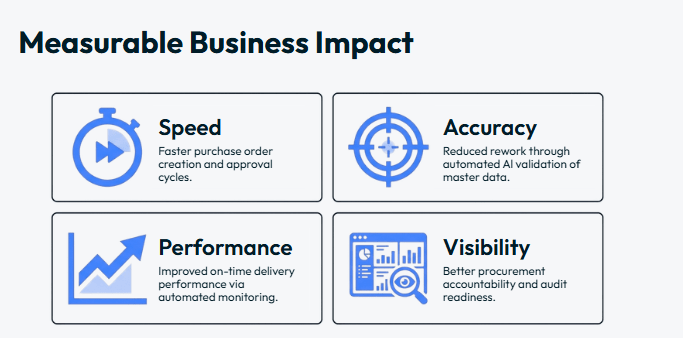
Healthcare procurement teams managing medical consumables, equipment, and maintenance contracts across multiple sites face the full complexity of the problem described above. Supplier requests arrive from different departments, in different formats, across different channels. Purchase order automation in Dynamics 365 removes the manual consolidation step and applies the same validation logic to every request, regardless of which department originated it. The NHS DSPT accreditation we hold ensures data handling meets NHS standards throughout.
In manufacturing and distribution, procurement volume is high and delivery timing is operationally critical. A delayed PO can halt a production line. Purchase order automation removes the processing lag between a purchase request and an approved D365 draft, and the automated SLA monitoring reduces the risk of missed delivery dates affecting operational continuity.
Public sector procurement operates within strict governance frameworks. Approval-first purchase order creation, full Dataverse audit logging, and policy-driven vendor and budget validation address the audit and compliance requirements common across local authority and central government procurement. Furthermore, field teams and remote offices can submit purchase requests through Teams without requiring direct access to Dynamics 365 Finance and Operations.
One of the most common questions we receive about purchase order automation in Dynamics 365 is how disruptive the deployment process is. The honest answer is that it depends on how well the existing ERP master data is maintained. The agent validates against vendor records, item master data, and pricing agreements already in D365. If that data is accurate and current, deployment is straightforward. If it contains significant gaps or inconsistencies, the data quality work needs to happen first.
That said, the agent requires no customisation to Dynamics 365 Finance and Operations itself. It works with the approval hierarchies, financial dimensions, and budget controls already configured. Deployment typically completes within two to six weeks, including configuration, testing against live master data, and team onboarding. The agent is available now on the Microsoft Marketplace, which means it can be provisioned without a lengthy procurement or vendor evaluation process.
The agent requires no customisation to Dynamics 365. It works with the approval hierarchies and financial controls already in place. Deployment completes in two to six weeks.
For organisations considering purchase order automation in Dynamics 365 Finance and Operations, the most useful starting point is usually a review of where manual effort is highest in the current process. That tends to be one of three places: supplier PDF processing, budget and vendor code validation, or delivery monitoring and escalation.
The Purchase Order Agent addresses all three. However, organisations with very high volumes of a specific document type, or with a particular compliance challenge around audit trails, often find that framing the initial conversation around that specific pain point produces the clearest picture of where automation delivers the most impact.
As a Microsoft Solutions Partner, we work with organisations across healthcare, public sector, and industry to assess their current procurement environment, configure the agent to their specific D365 setup, and support adoption from go-live through to ongoing optimisation.
See the Purchase Order Agent in action. At Mazik Global UK, we help organisations unlock the full potential of Microsoft technologies with AI-driven innovation and data-led strategies.
Book a 30-minute live demo and see a purchase order created from a Teams message, validated against your D365 master data structure, and ready for approval in minutes.
Book a demo → mazikglobal.co.uk/agents/purchase-order-agent/ Or email us at info@mazikglobal.co.uk
Transform your procurement process today. Purchase Order Agent is available now on the Microsoft Marketplace
How Do You Drive AI Adoption Across Your Organisation? Quick answer: AI adoption is the point where people use AI…
Quick answer: AI governance is the set of controls over data, access, compliance and monitoring that lets an organisation use…
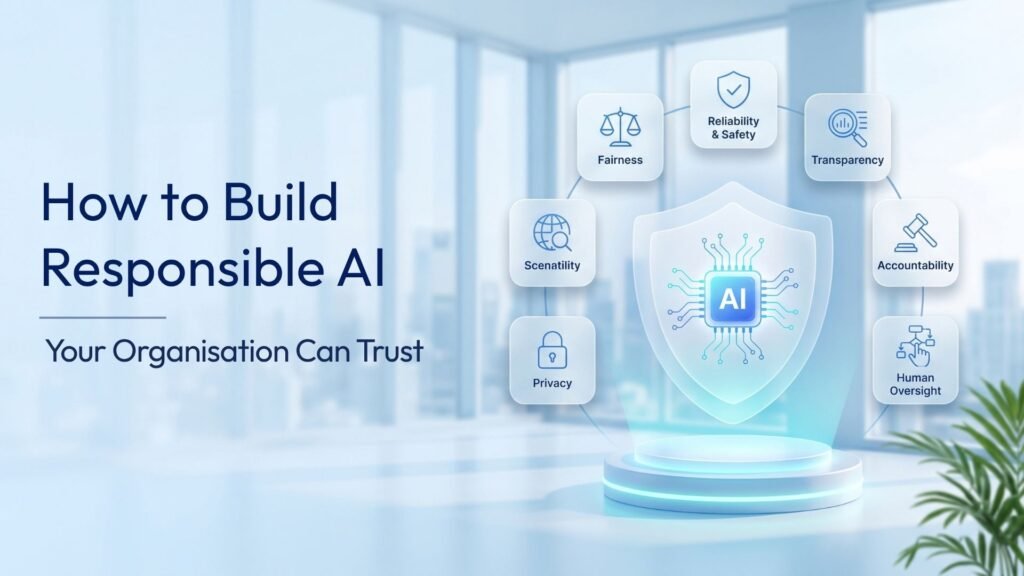
Most organisations no longer ask whether AI belongs in their business. They ask how to build responsible AI that leadership,…